

ให้เช่าต้นคริสต์มาสขนาดใหญ่
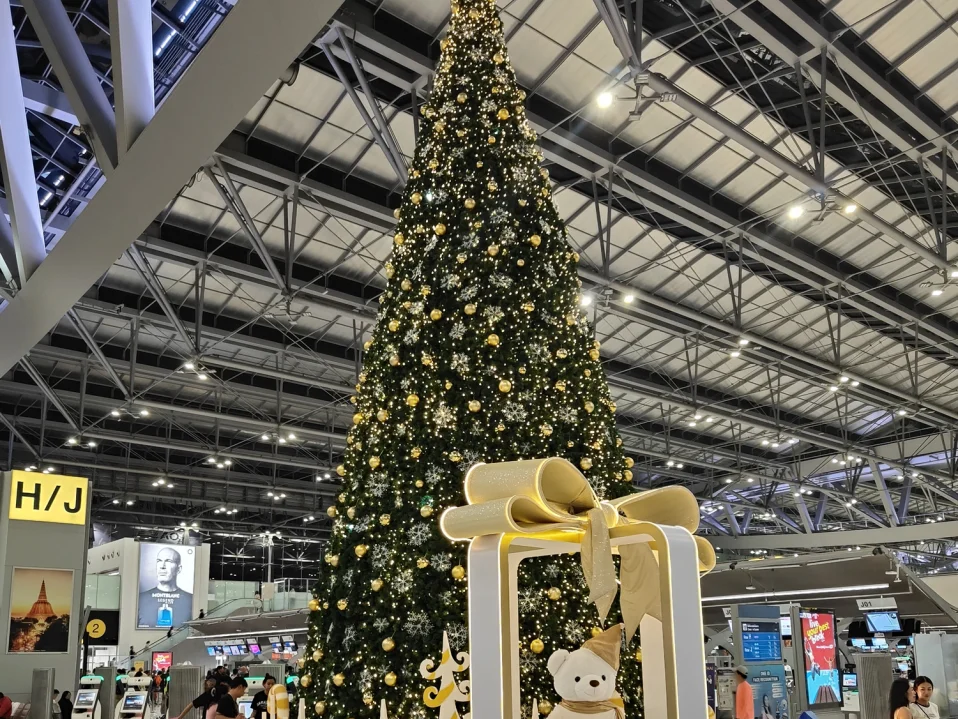
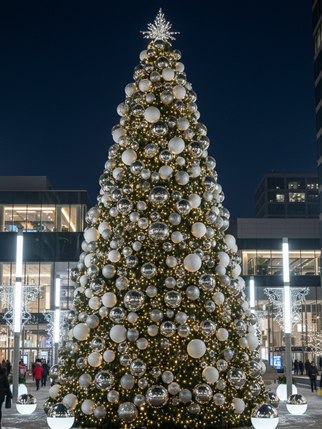
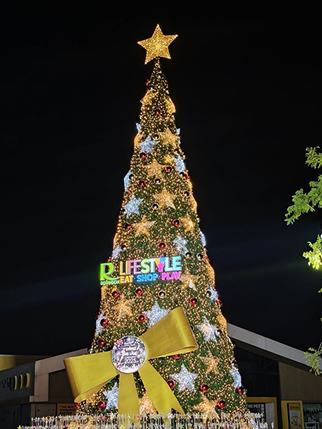
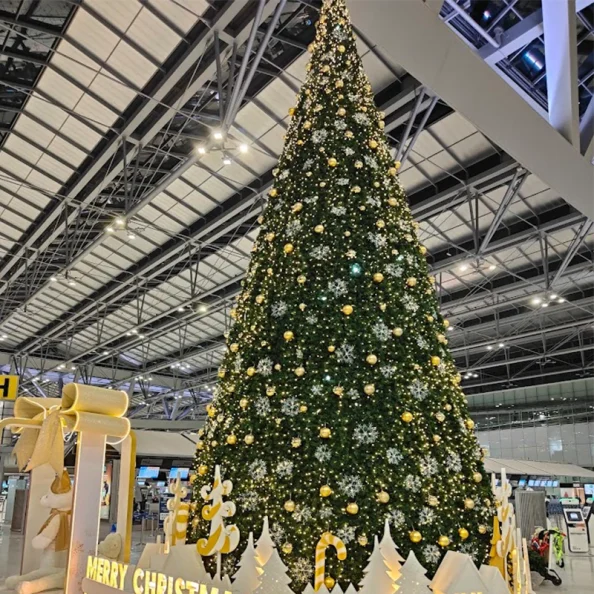
เช่าต้นคริสต์มาสกับ ทรีพลัส สะดวก รวดเร็ว ประหยัดเวลาและลดภาระการจัดการ ด้วยบริการครบวงจร มั่นใจด้วยทีมงานมืออาชีพ มากประสบการณ์ ดูแลตั้งแต่ออกแบบ ติดตั้ง จนถึงรื้อถอนอย่างเป็นระบบ

ออกแบบจัดทำต้นคริสต์มาส
ทรีพลัสรังสรรค์งานออกแบบคริสต์มาสอย่างมีเอกลักษณ์ พิถีพิถันทุกองค์ประกอบ ให้โดดเด่น สง่างาม และแตกต่างอย่างมีระดับเปลี่ยนทุกพื้นที่ให้เป็นแลนด์มาร์กที่น่าจดจำ
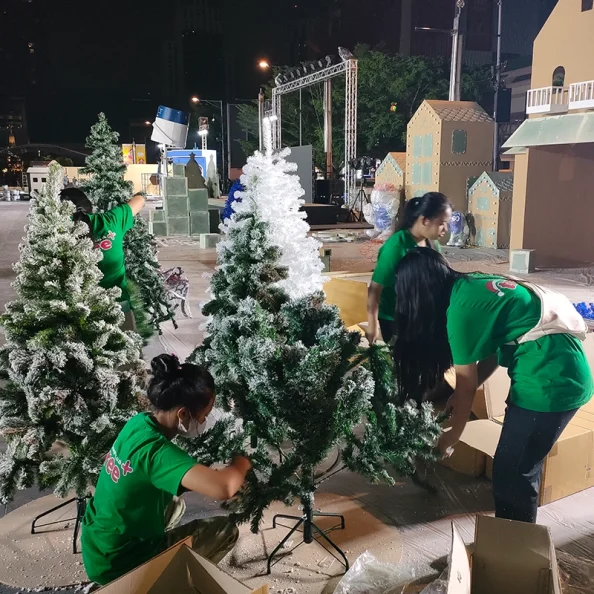
ติดตั้งรือถอนต้นคริสต์มาส
ทรีพลัสให้บริการติดตั้งและรื้อถอนต้นคริสต์มาสอย่างมืออาชีพ รวดเร็ว ปลอดภัย และเป็นระบบ พร้อมดูแลทุกรายละเอียดตั้งแต่ต้นจนจบสะดวกสบายไร้กังวล ไม่ต้องจัดหาทีมงานหรือจัดเก็บอุปกรณ์เอง

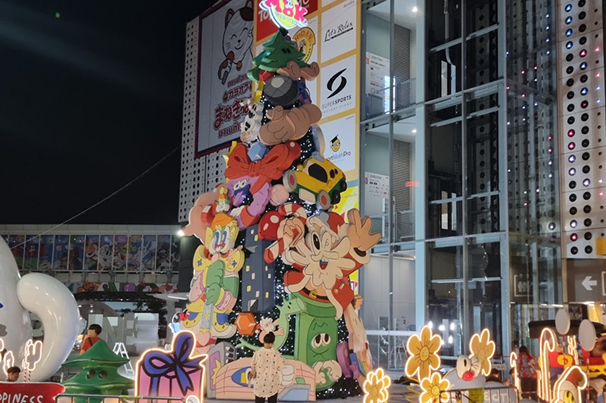
ไฟตกแต่งเทศกาลคริสต์มาส
ทรีพลัสรังสรรค์งานไฟตกแต่งสถานที่อย่างประณีต ผสานศิลปะแห่งแสง สี และดีไซน์ เพื่อเนรมิตบรรยากาศที่หรูหรา โดดเด่น และมีเอกลักษณ์เปลี่ยนทุกพื้นที่ให้เปล่งประกายอย่างมีระดับ สร้างความประทับใจ ดึงดูดทุกสายตา


01
ความเชี่ยวชาญของเรา (Specialized Expertise)
ทีมงานของเรามีประสบการณ์ด้านการออกแบบ ผลิต ติดตั้ง และบริหารงานตกแต่งเทศกาลอย่างครบวงจร
เราเข้าใจข้อจำกัดของแต่ละพื้นที่ พร้อมนำเสนอแนวทางที่เหมาะสมทั้งด้านงบประมาณ ความสวยงาม และการใช้งาน
02
ความรับผิดชอบและความซื่อสัตย์ (Accountability & Integrity)
เราให้ความสำคัญกับความตรงต่อเวลา ความโปร่งใส และความรับผิดชอบในทุกขั้นตอนของการดำเนินงาน ตั้งแต่การวางแผน การเสนอราคา การผลิต ไปจนถึงการติดตั้งและรื้อถอน ลูกค้าสามารถมั่นใจได้ว่าทุกโครงการจะได้รับการดูแลอย่างจริงจังและเป็นมืออาชีพ
03
ทักษะการแก้ปัญหาเฉพาะหน้า (Problem-Solving Skills)
งานติดตั้งและอีเวนต์อาจมีข้อจำกัดและการเปลี่ยนแปลงที่เกิดขึ้นได้ตลอดเวลา
ทีมงานของเรามีประสบการณ์ในการวิเคราะห์และแก้ไขปัญหาเฉพาะหน้าได้อย่างรวดเร็ว
เพื่อให้งานดำเนินต่อได้อย่างราบรื่น ปลอดภัย และเป็นไปตามแผน
04
การสื่อสารที่ชัดเจน (Clear Communication)
เราให้ความสำคัญกับการสื่อสารและการประสานงานที่ชัดเจนในทุกขั้นตอน
ทีมงานทำงานร่วมกับลูกค้าและทุกฝ่ายที่เกี่ยวข้องอย่างเป็นระบบ
เพื่อให้ทุกคนเข้าใจเป้าหมายตรงกัน และโครงการดำเนินไปอย่างราบรื่น
05
ความยืดหยุ่นในการทำงาน (Flexibility)
ทุกโครงการมีความต้องการที่แตกต่างกัน ทรีพลัสสามารถปรับรูปแบบการทำงานให้เหมาะสมกับงบประมาณ ระยะเวลา และข้อกำหนดของแต่ละองค์กร ไม่ว่าจะเป็นโครงการขนาดเล็กหรือขนาดใหญ่ เราพร้อมนำเสนอแนวทางที่ตอบโจทย์และสร้างความคุ้มค่าสูงสุด
06
มาตรฐานความปลอดภัยและความเป็นมืออาชีพ (Safety & Discipline)
เราให้ความสำคัญกับความปลอดภัยในทุกขั้นตอนของการทำงาน
ทีมงานปฏิบัติตามมาตรฐานและวางแผนติดตั้ง–รื้อถอนอย่างเป็นระบบ
เพื่อให้งานปลอดภัย มีประสิทธิภาพ และไม่กระทบการดำเนินงานของลูกค้า